Overview
The Jet Dashboard Builder helps you align the visuals on your dashboards by automatically setting the location and sizing of those visuals as per a pre-defined "grid".
As a dashboard designer, you have control over the size of that grid.
Setting the Grid
-
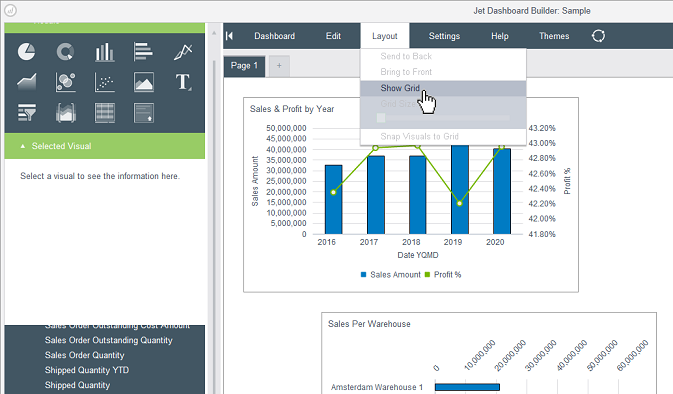
Select the Layout menu and then select Show Grid...
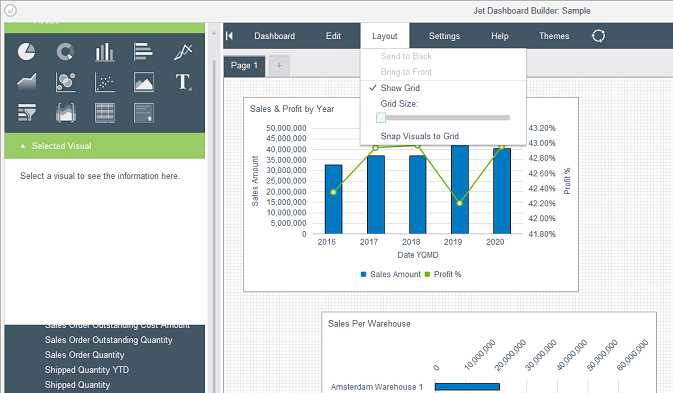
This will display the grid in the dashboard...
-
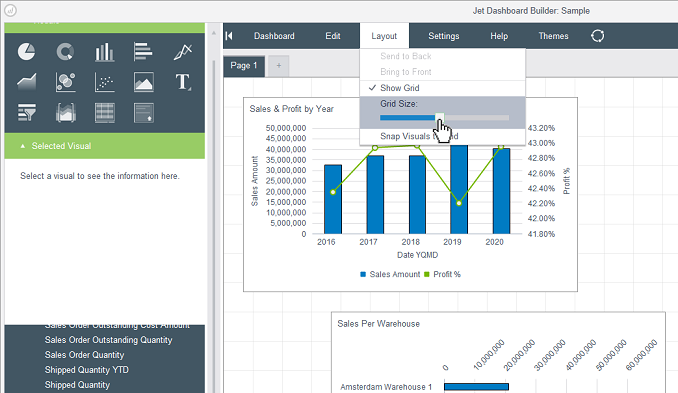
You can use the Grid Size slider (on the Layout menu) to adjust the size of the grid...
-
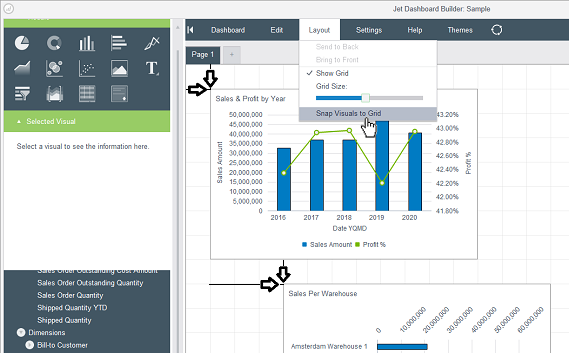
Once you have set the grid to the size you wish to work with, if you have visuals that do not conform to that particular grid (as shown here)...

-
You can select the Snap Visuals to Grid option to have the Dashboard Builder perform that task for you...
Comments