Hi,
As a new jet report user, would like to check when running jet report (connecting to NAV database) is it a requirement that user must have E3 O365 license? By the way, we connect to NAV via RDS.
Thank you.
Hi,
As a new jet report user, would like to check when running jet report (connecting to NAV database) is it a requirement that user must have E3 O365 license? By the way, we connect to NAV via RDS.
Thank you.

Hello.
In order to use the Jet Excel add-in, you must have a licensed copy of Excel installed on the desktop.
If you want to view a report in the Jet Web Portal using Excel Online, you must have a login that can access a version of Excel Online.

Hi,
Thanks for the reply.
We do have a license copy of Excel. We have Office 365 and we have 2 license type for this, E1 and E3. I would like to know, to be able to 'Refresh' jet report, does it require to have E3?
Thank you
Hi -
According the Microsoft's web site (products.office.com) the E1 license includes Office Online. This would allow for viewing reports using the Jet Web Portal and Excel Online. This license does *not* include a desktop version of Excel.
The E3 license includes the desktop versions of MS Office. This would allow for the use of the Jet Excel add-in for creating and running reports:


Hi,
I've just gotten jet web portal up and running, but if I try to open a report it asks for my Microsoft account. I enter my Office365 credentials and it says I need Microsoft account. So I create a MS account and try to open the report but then it says the report is not accessible (this MS account is not linked to my 0365 account).
This is very frustrating...
Any help appreciated.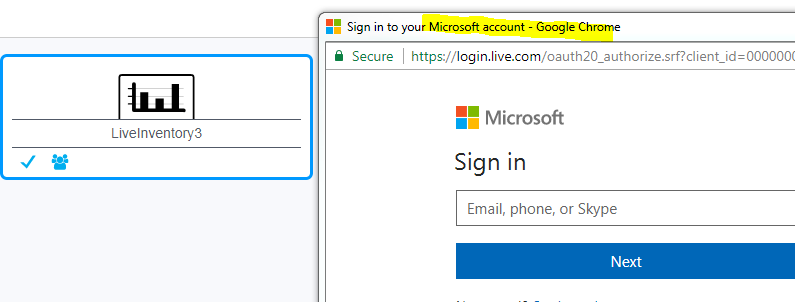
Hello Kamal -
From what you describe, the Jet Web Portal (JWP) is configured to use OneDrive (for personal accounts) when you are actually using Office 365 (which uses OneDrive for Business).
Try reconfiguring the JWP to use OneDrive for Business:
You must access the JWP as an administrator (you can tell which users are Admins by checking in the Jet Administration Console:

Once logged in to the JWP, click the gear icon in the upper right and then choose Settings:

In the Storage settings, change the Online Storage to OneDrive for Business:
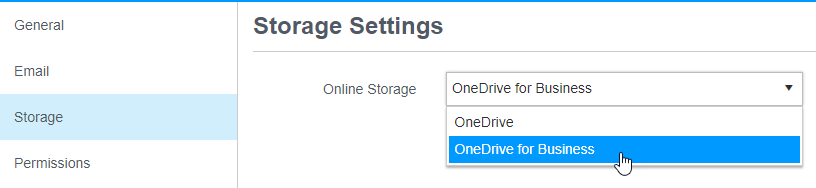
See if that resolves the issue. When prompted for your credentials, use your Office 365 login (not the new MS Account you created).