These might seem like stupid questions, but I can't find them specifically covered, and I've gotten some bad information before.
1. Do I still need to use a unique key when building a report with Jet Essentials. The training videos for Jet Express pointed out the importance of doing this, but I heard Essentials is supposed to handle it automatically and there's no specific reference to doing so in the videos I've seen for Essentials.
2. When linking tables in Essentials, is it important to pull across linked fields? I found in Express if I didn't do this I'd only get the first hit (for instance when trying to find all the lines on a Sales Order). I ask, because I end up pulling quite a few columns of data in order to build the reports with the level of detail required. If that's the Best Practice, so be it.
3. I've been building reports for Sales, and I can easily report on items shipped/sold, but this only allows me to show Customers who've actually purchased something. I'd like to build a Sales report that shows a list of Customers by Sales Rep that includes Customers who haven't purchased anything this month.
Generally, I've been starting with the Item Ledger Entry table and then linking the Customer table, Sales Shipment Header table, and Sales Shipment Lines table to the ILE in order to get all the info for the report. How would I start with the Customer table and then still pull the data I need from the other tables?
Date
Votes
2 comments
-

Jet Reports Historic Posts Great questions!!!
Let's start with discussing some general concepts.
Both Jet Express and Jet Essentials allow you to pretty much get at any data you want from your database.
Jet Essentials provides you with greater flexibility in *HOW* you can get to that data. With the Jet Express, you've been using the Table Builder. I really like that tool… it's powerful and pretty easy to use, but It doesn't let you do everything. And, when wanting to show transaction data along with summary (e.g., header) data, you always need to start with the transaction table as your primary table.
Case in point (and the focus of your questions, actually): Let's use your idea of showing customers (including those that haven't purchased within the specified time frame). One very powerful way of doing this is through the use of a "Grouping Report" where we could list out all our customers and then show the associated sales (if any) for each customer.
In the Jet Essentials online Knowledgebase, there are a series of 5 videos explaining how to create a Grouping Report. Start here –> http://kb.jetreports.com/article/AA-00731
Scroll down to the "Creating Reports" section: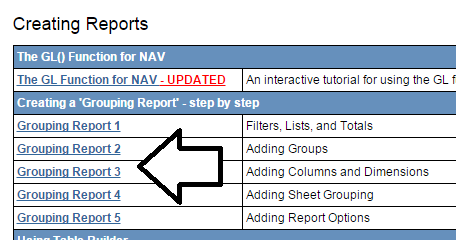
You'll want to view the videos in order as they build on each other to create the final result.
Using the techniques listed in those videos, it would be easy to produce something similar to this: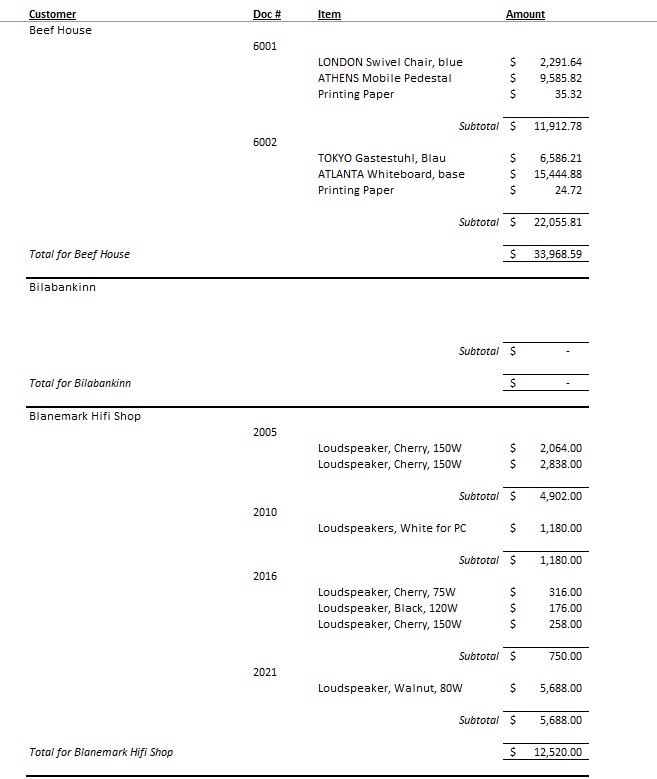
I hope that helps. -
Jet Reports Historic Posts That didn't really answer my questions, but through some testing this morning I did answer my first two on my own. Yes, you need to use a unique key for each table referenced, and yes, if you don't pull in the filtered/linked fields, you'll get inconsistent results.
I've watched the grouping videos, but I guess I just lack the context to create the connection between how I've been doing it in Table Builder and how it's done in the videos to really grasp what's going on. I guess I'll just have to wait till we get our training.
Please sign in to leave a comment.