Every time I use Excel's conditional formatting function, when I run Jet Reports using a nl("Rows",…) command the data in the column where the conditional formatting is in place is always is "selected" with a green box.
How do I get the reports to not have the data "selected".
Thank you.
Date
Votes
6 comments
-

Jet Reports Historic Posts I've tried to recreate this, but have not been able to.
I created a simple NL("Rows") function and included another cell with conditional formatting based on the value in that cell…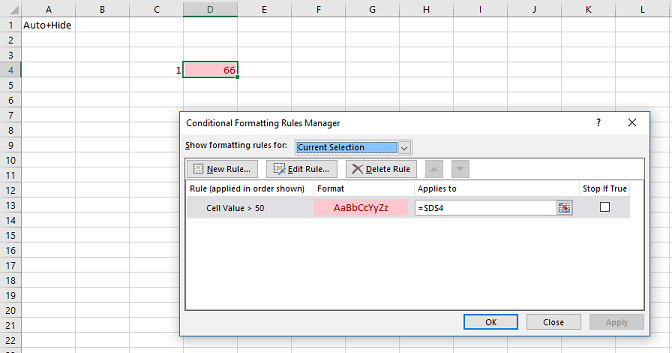
When I select a different cell (in this case B2) and then refresh the report, cell B2 is still selected…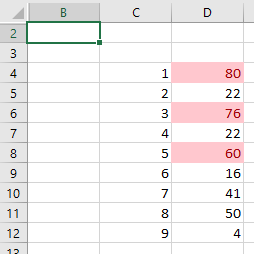
What do I need to do in order to emulate what you are experiencing? -
Jet Reports Historic Posts Here is a simple spread sheet I created to check for orders over 90 days old from the date of entry.
Cell A1: Auto+Hide
Cell B1: Hide
Cell C2: =np("EVAL","=Today()")
Cell C3: =C2-90
Cell B4: =nl("Rows","Sales Header")
Cell C4: =nf(B4,"No.")
Cell D4: =IF($C$3-nf(B4,"Order Date")>0,"LATE",nf(B4,"Order Date"))
I set a conditional format on cell D4: =D4="LATE" set cell to red text
When I run the report all the data appearing in column D from cell D4 down is "selected".
I have attached the actual file.
Thanks for your help. -
Jet Reports Historic Posts Further "testing" indicates that if the conditional formatting is in a cell with an "IF" statement, the cell column is "selected". If the conditional formatting is in a cell with a "straight =" value, the cell column is not selected.
-
Jet Reports Historic Posts Thanks.
I tried to reproduce what you describe, by running the sample report you provided.
Unfortunately, using Excel 2016 and Jet Professional 2017, I was not able to do so - whatever cell is selected (in Design mode)…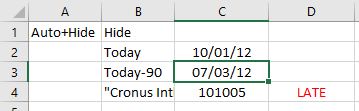
is still still selected after I run the report…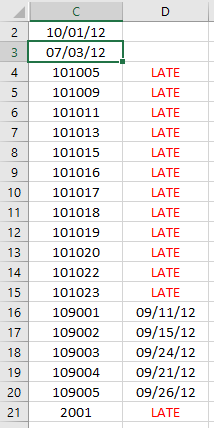
Perhaps you are using different versions? -
Jet Reports Historic Posts I am running Professional 2017 with Excel 2013. My "viewers" are running Essentials 2016, with a combination of Excel 2010 and Excel 2013. All the viewers get the same "selection" aberration that I am. The selection is happening on all our multi-page reports where there is conditional formatting in a replicated cell on that page.
-
Jet Reports Historic Posts I also did a quick run of your test report in my test account.
Seems to work just fine for me as well. Inserts dates for newer orders, writes "Late" for 90+ and formats red. No problems here.
Using Excel 2016 and JET 2015 (15.1.16119.0) (I only just noticed my version - I should upgrade).
Please sign in to leave a comment.