Dear all,
I need to make a report for each day, to see for which orders there are not delivery notes created. Does anybody has an idea how to find this?
thanks a lot
Date
Votes
5 comments
-

Jet Reports Historic Posts Do you know where, in your database, that the delivery notes are stored?
i.e., are they in the same table as the orders or are they in a different table?
If they are in the same table, you can filter on that field being blank
e.g.,=NL("Rows","MyOrderTable",,"DeliveryNotes","")
If they are on a different table, you would need to determine how those tables are related (probably through something like an 'Order Number' field) and then use the LINK= filter to tie the tables together:
Something like:=NL("Rows","MyOrderTable,,"LINK=","MyDeliveryNotes","DeliverOrderNum","=OrderNum","DeliveryNote","")
Note: if you are using Dynamics NAV, blank fields are denoted with "@@" instead of ""). e.g., =NL("Rows","MyOrderTable","DeliveryNotes","@@") -
Jet Reports Historic Posts Dear,
thanks a lot for your response. There are different tables. First tables is for the orders ("Verkaufszeile") and the delivery notes are in "Verkaufslieferzeile". I am at the mooment unable to proceed. LINK is not a problem, but with the other things in your example, I have problems. Maybe with the attached picture you can see more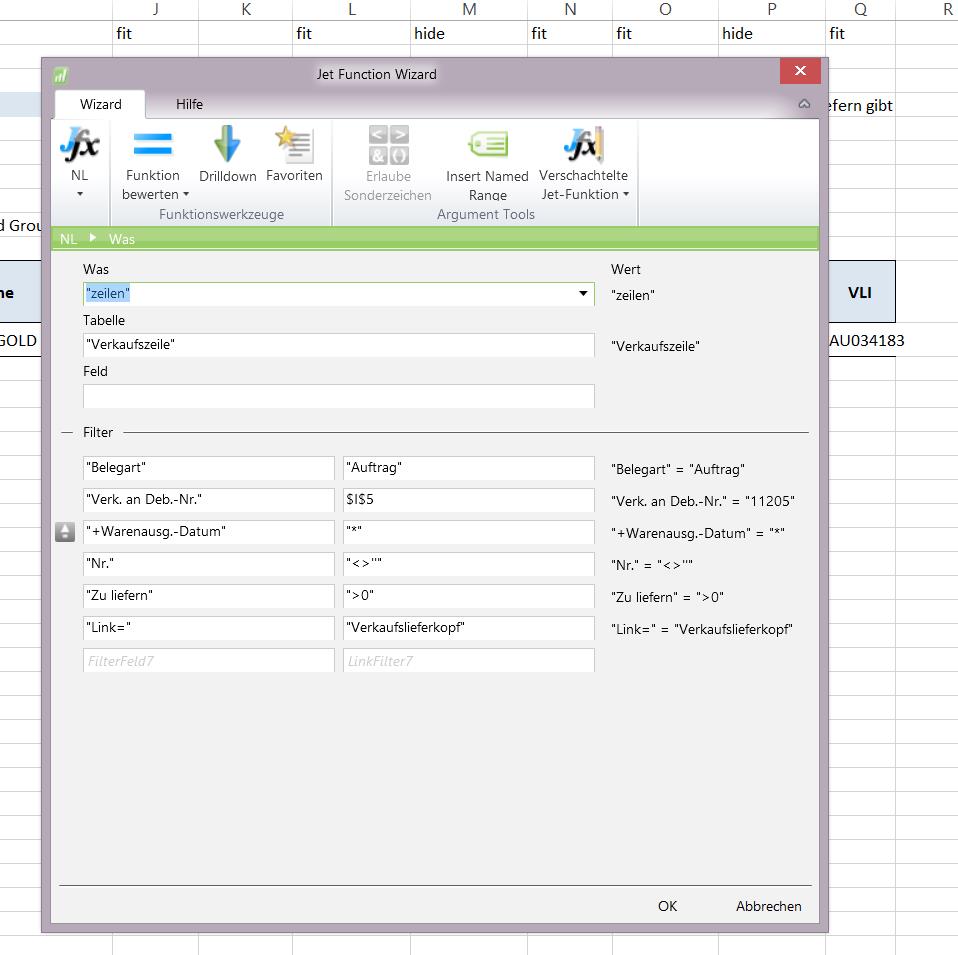
As you can see I am a rookie. If you need further information for helping me, please let mw know. thanks in advance. -
Jet Reports Historic Posts I am happy to try to help.
As I am not a German speaker (and I do not have German captions in my sample databases), could you help me determine which tables and fields those are?
If go to your Einstellungen Datenquelle and (on the Anzeigen tab) set the Tabellen- und Felddropformat to Nummern und Bezeichnungen…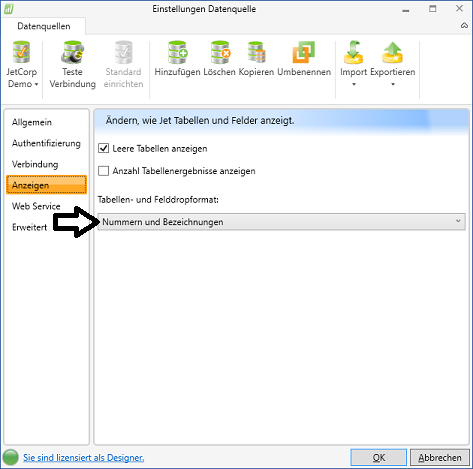
Then, in the Jfx, use the dropdown arrows to select your tables and fields. This will display the table and field numbers, so that I know what you are working with: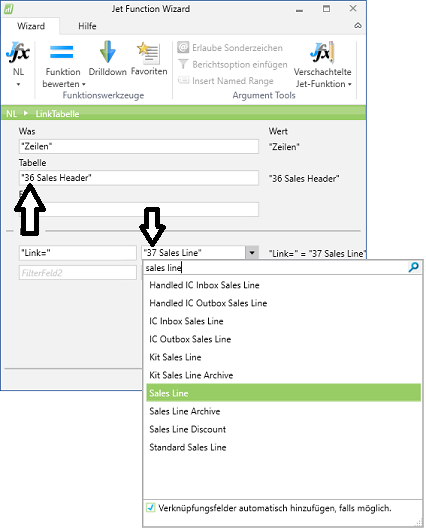
-
Jet Reports Historic Posts Hi,
thanks for your reply and sorry for my late response as I was on a business trip. back in the office: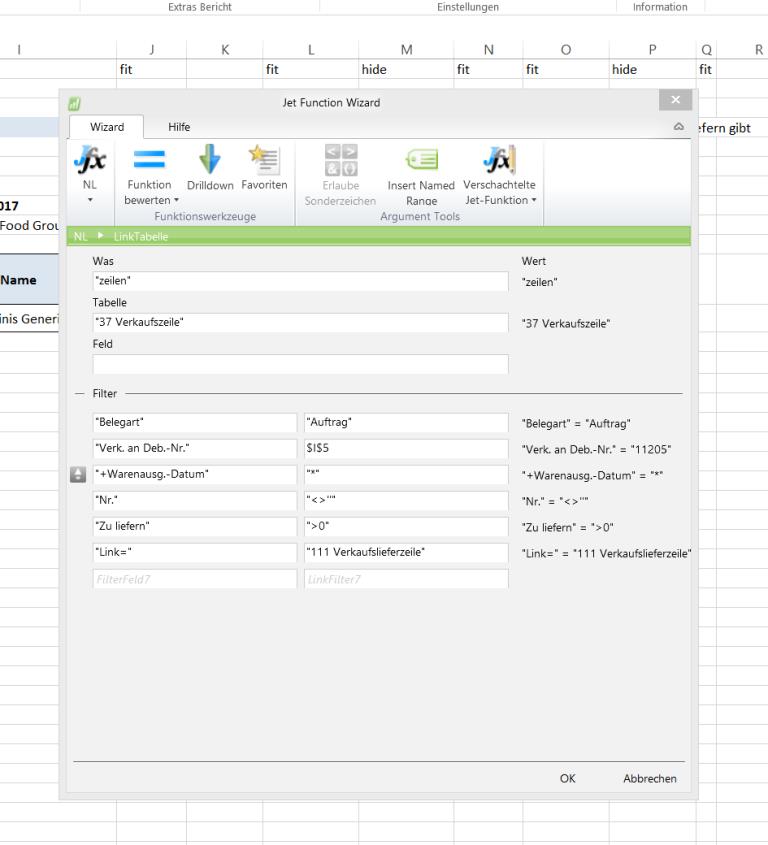
-
Jet Reports Historic Posts Thank you.
Table 37 is the Sales Line table. 111 is the Sales Shipment Line table.
Tying these two table together is a bit tricky.
As I am not overly familiar with table 111, I asked around a bit.
Jet's regional representative in France had this to share:A few pointers (not full blow solution) :
On the "Shipment Shipment Header" you've got a field called "Order No"
On Table 37 Sales Line you've got two fields who could be useful : "Shipment No." and "Shipment Line No."
Check table 10825 "Shipment Invoiced"
Sorry that I can't provide more in-depth details.
Please sign in to leave a comment.