
Hi all,
In our company we have been using centralized settings for a while now. Everything works just fine, except for one thing.
Staff with a laptop, do frequently use their computer when not connected to the company network. In this case when starting Excel, Jet will try to find the centralized settings server.
When connected to no network at all, after a few seconds a time-out will occur and the following message is displayed: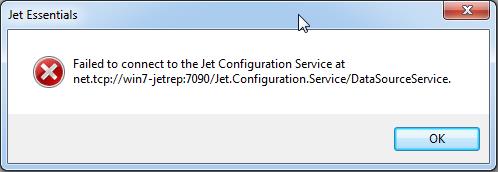
However when connected to another network, it will take a long time before the time-out occurs. Users will have to wait for this before they can start using Excel.
Is there any way to change this behaviour? Change time-out parameter perhaps?
Any help is appreciated!
Thanks in advance,
Gerard
0 comments
Please sign in to leave a comment.