I am new to jet reports. I am editing a table and want to find the table(s) that the report is referencing. I would think that this should be a simple task. However, after looking through the online documentation and looking through the report, I have not been able to determine how to do this.
Specifically, I am using jet reports 2010 R2 and I an licensed as a designer. If you could point me in the right direction, I would be most appreciative.
Thanks
Date
Votes
1 comment
-

Jet Reports Historic Posts Hello -
The parameters of the NL() functions appear in a specific order.
The second parameter is the database table from which data is retrieved.
So, in this example [using the NL("Rows") function]…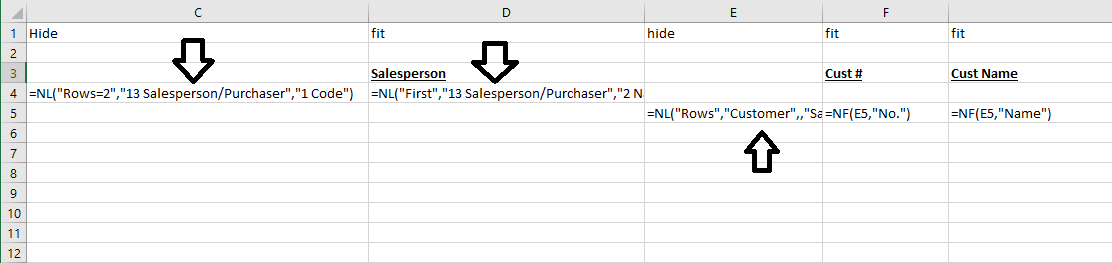
data is being retrieved from both the "Salesperson/Purchaser" table and the "Customer" table.
In this example (created using the Table Builder)…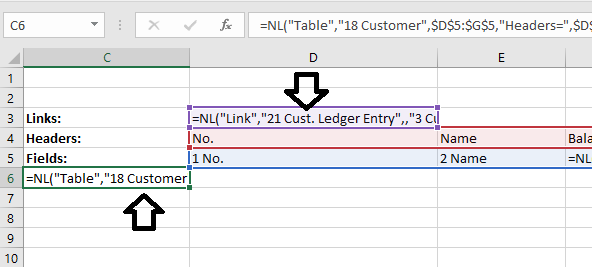
data is being retrieved form both the "Customer" and the "Cust. Ledger Entry" table.
I hope that helps.
Please sign in to leave a comment.