Hi Tony -
I created a customer-based example (I have better sample data for customers than for vendors).
I started by setting up my Report Options so that I could choose my customers and date range.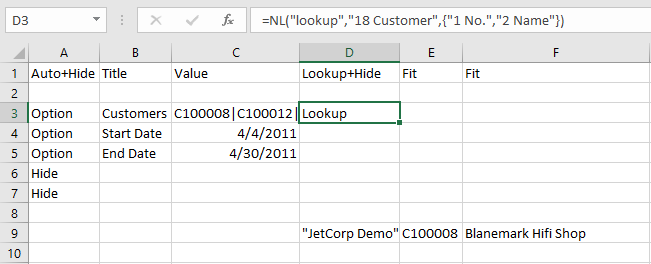
Then I added an NL(Rows) function to get the records from my Customer table - with a couple of NF() functions to give me the number and name of each of those customers.
Next, I used the Snippets tool (I downloaded the sample snippets from elsewhere on this forum: https://community.jetreports.com/viewtopic.php?f=57&t=1521&p=7303&hilit=snippets#p7303).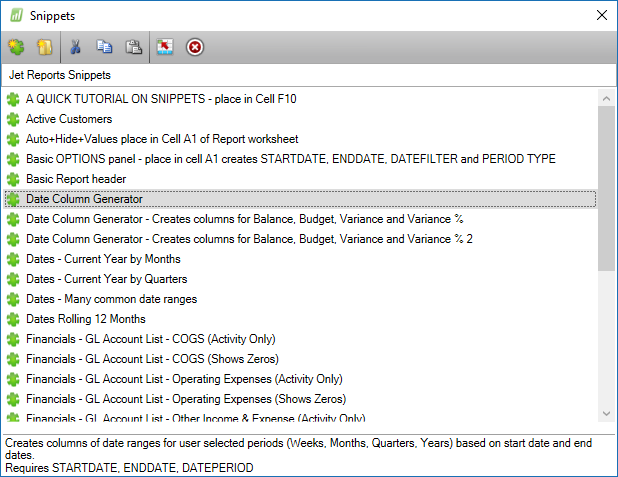
I just choose one of the date snippets that creates columns and then modified it for my specific needs.
Next, I put in an NL(Sum) function to get data for the specific customer for the specific date range
Finally, I added some totals: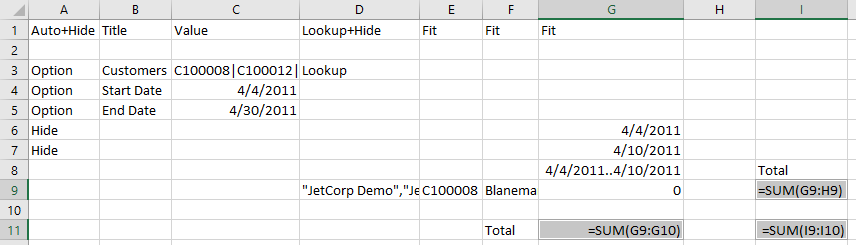
When I run the report, I can choose the customers I want (and the dates)…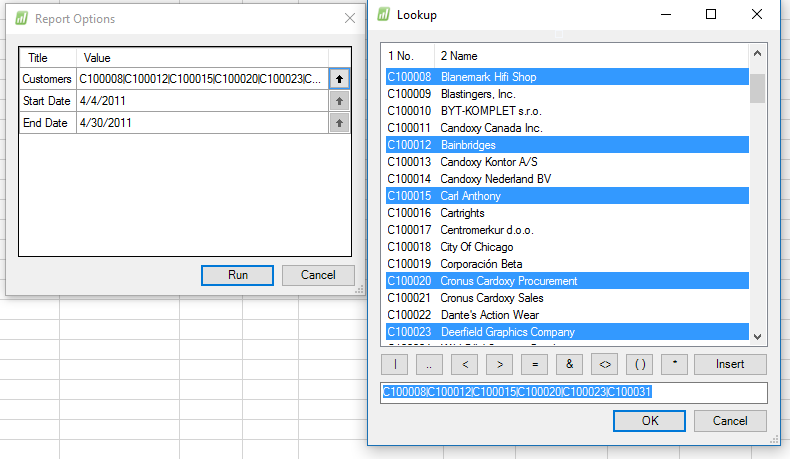
And I get those customers and the data for each of them - per date range: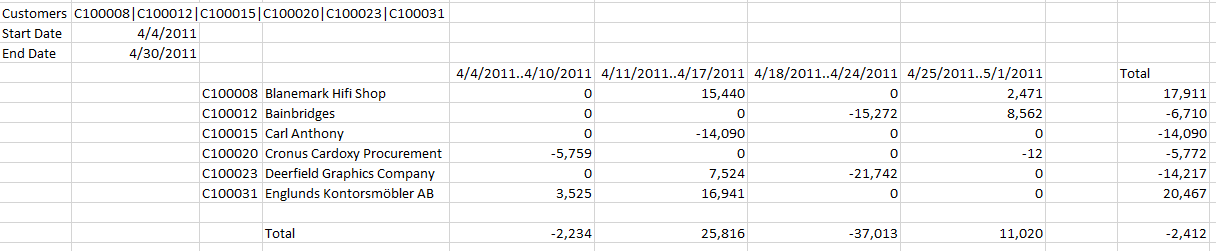
I hope that gets you pointed in the right direction.
Date
Votes
1 comment
-

Jet Reports Historic Posts Hello
I am hoping someone can help me with something very basic, but for some reason i cannot get this to work. I've tried using the wizard, but i am struggling to just pull through both a limited specific list of vendors, as well as the totals per week for different weeks on the same report!
I am trying to run a report where i see what invoices i have received (based on pre-tax invoices posting date) with specific vendors (around 50 of them - not all of them), for each individual week over a period of time, to look something like the below:
05/09/16..11/09/16 12/09/16..18/09/16 19/09/16..25/09/16 Total
ABCD01 100.00 1,000.00 36.00 1,136.00
DEFG01 50.00 30.00 400.00 470.00
Total 150.00 1,030.00 436.00 1,606.00
Has anyone got any ideas how i can put this together easily?
Thank you for your help in advance!
Tony Black
Please sign in to leave a comment.