Hi,
as there is no OTHER -section on that board I would like to share that picture here.
This is not a question for help (yet)!
What happens if Jet Reports is still to tired in the early morning: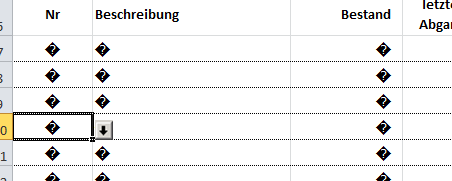
That is one report in a Excel file with 10 different reports. All other reports have been working as usual.
It never happened before and it worked with a second refresh.
Cheers,
André
Date
Votes
1 comment
-

Jet Reports Historic Posts Hello abap,
Generally, when we see this occur, it is because the report is timing out.
You can address this issue by doing one of the below suggestions and in most cases can be resolved by increasing the connection timeout settings in the Data Source Settings.
1) Upgrade Jet Essentials/Jet Professional to a newer release.
2) If using NAV 2013 Web Services, increase the values in the Data Source Settings > Advanced tab.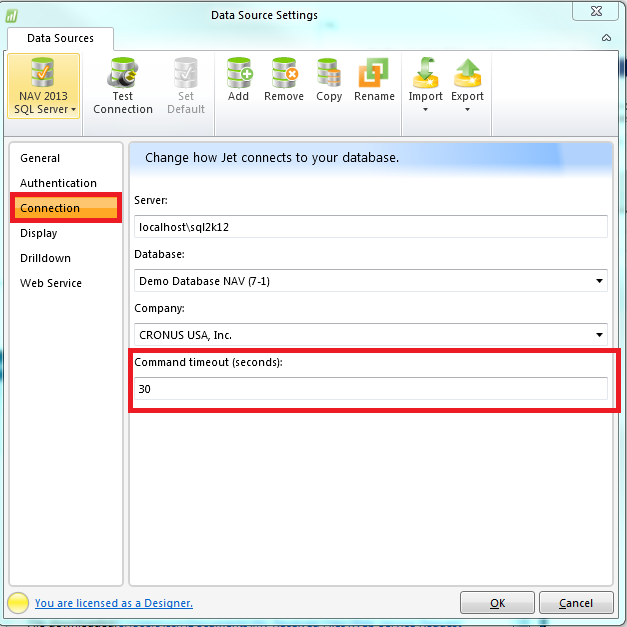
Older versions of Jet Essentials, by default the setting is set to 30 seconds.
You can increase this from 30 to 60 > 90 > 120 > 150 > 200 and even up to 300 seconds.
Test the report each time you make a change to the timeout settings.
Please let us know a few details about your environment:
1. Microsoft Excel version and bitness (32/64bit):
2. Jet Essentials/Jet Professional version and bitness (32/64bit, Jet Ribbon > About):
3. Data Source type:
e.g. NAV 2013-2016 SQL Server, NAV 2013-2015 Web Services, NAV 2009 R2 or earlier, GP, Data Warehouse, Cubes
Cheers,
Please sign in to leave a comment.