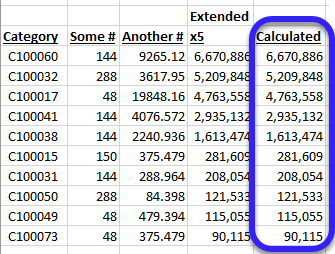
I am using Dynamics NAV and Jet reports for a Manufacturing and distribution company. our warehouse is looking for a report that will assist them in refilling Bins before they run empty. they way the rank bins for this purpose is by using the following formula:
(Quantity/Min. Qty.)*5
Quantity and Min. Qty. are database fields, so I am able to extract them with NL/NF functions, and I can use excel to create the algebra formula, but I am being asked to sort by the calculated field. I reviewed the articles on specifying a sort column by nesting the function in the Rows Replicator, but I cannot figure out how to nest the algebra functions. I have tried using NP eval and NP Formula, but I keep getting errors either in the formula itself, or the result.
I am using a NL data dump as my Rows replicator:
=NL("Rows","Bin Content",,)
and NF to display the columns, and excel to calculate DIB as described above:

anyone have ideas on performing the algebra inside a Jet function so I can use it as a sort filter in my NL data dump?