I have started getting the following error message when trying to activate Jet Express. Nothing has changed since I last used it, IT department assures me they haven't changed anything.
Thanking you in advance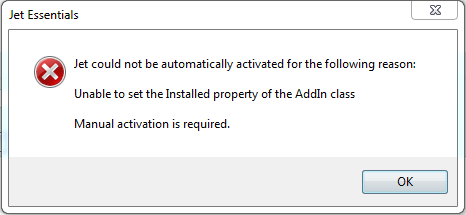
Date
Votes
2 comments
-

Jet Reports Historic Posts This could be as simple as an issue of "timing" between Excel and the operating system. The next step would be to try manually activating Express.
To Activate Jet Reports manually do the following.
- Open Excel and go to the Excel Add-Ins
——- Excel 2010 - File/Options/Add-Ins/Go
——- Excel 2007 - Office Button/Excel Options/Add-Ins/Go
- Click the Browse button and browse to the Jet Reports folder (default: C:\Program Files\JetReports)
- Double-click the JetReports.xlam file
- If prompted, click Yes to overwrite the file.
- Click OK. You should now see a Jet menu or ribbon.
-HP -
Jet Reports Historic Posts Thanks HP.
Fixed!
Please sign in to leave a comment.