if you having the issue as shown in the video clip.
it means that Jet do not work with Excel 2007 in Compatibility Mode
http://www.4shared.com/file/116444123/276aab79/Unable_to_run_report.html
Password: jetreports
The solution is to change the Save setting to .xlsx in Excel 2007 and the problem should be resolved.
You can find this setting by clicking the Office button\Excel Options\Save.
Date
Votes
9 comments
-

Jet Reports Historic Posts Hey Legacy,
How about some more information.
What error message are you getting?
What version & build of Jet Reports?
Can you provide a copy of the report?
How do you know that this is a compatibility mode problem? Did you submit it to Jet Reports Support? What do they say about it? You need to give more information.
I have many Jet Reports that I run on Excel 2007 in compatibility mode. I only do this because I design the report for Excel 2003 users. I've never had any problems. However, I do know that Jet Reports "works better" when I'm not in compatibility mode.
FYI, for those who do not know, Excel 2007 will run a workbook saved as an xls workbook in Excel 2003 "compatibility mode". This limits the workbook to those features and functions only availability in Excel 2003. -
Jet Reports Historic Posts Error message as shown in the clip
Yes, this case was referred to Jet support which in turn passed to the Jet development team.
The solution was proposed by them.
As for the report. Just save a report in .xlsx format. Then go to Excel 2007 office button, then to Excel options.
Go to Save menu, then change the save settings to say "Excel 2003". And you will get the error. -
Jet Reports Historic Posts Sorry Legacy, but I can't see the error message in the video. Can you post the text of the error message?
Also, I suspect that you have an issue with a specific report that you are making a general statement that Jet Reports doesn't work in compatibility mode. Do you have multiple reports that don't run or is it just this one?
I only ask because it seems that many people post here, but don't give basic information (ie version of Jet, version of excel, version of database, text of error messages). By not providing the error message, you also make it difficult for other community users to search the postings if they have the same problem. -
Jet Reports Historic Posts I have the issue with more than 1 report and only reports that have been saved as Excel 2007 formats have that issue.
The issue was also experienced by an user in Philippines whom changed the settings to be saved in Excel 2003 format.
Nav: version 5 SP1
Excel: 2007
Jet: Version 7.1.2 build 1830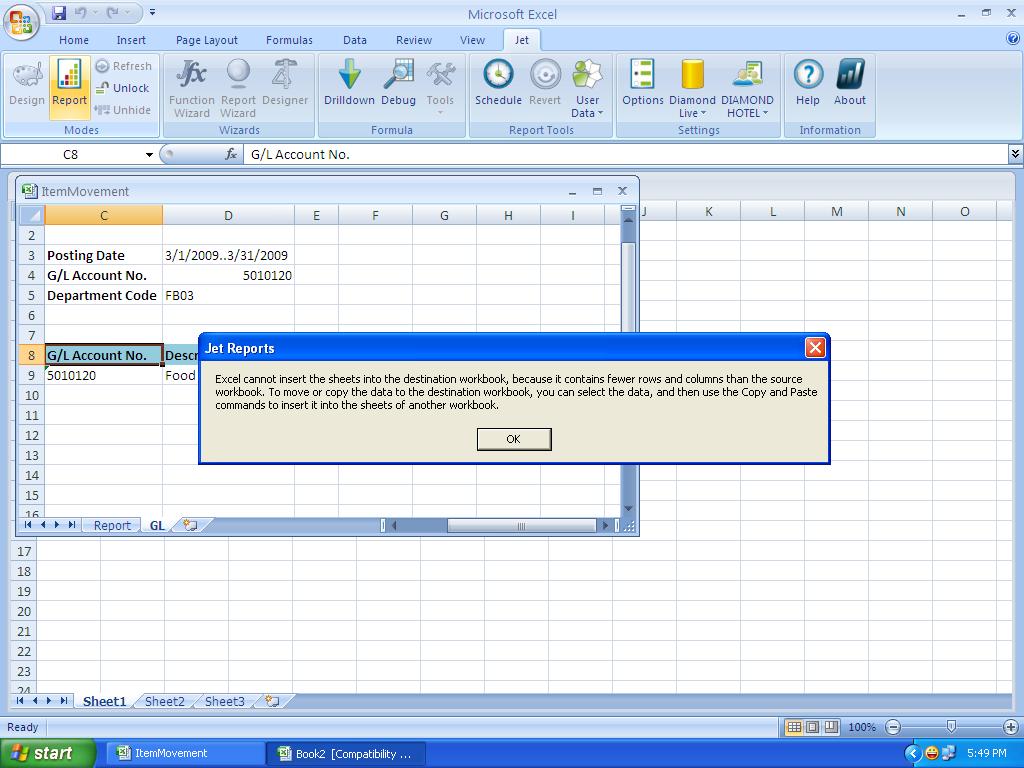
-
Jet Reports Historic Posts I have managed to get the same error.
Mine was caused because my last cell (CTRL+SHIFT+ENTER) was outside the excel 2003 range (IV65536, 256 Columns, 65536 Rows) compared to Excel 2007 (XFD1048576, 16384 Columns, 1048576 Rows)
was it a NL("Sheets") formula?
or were you just copying the sheet to another? (i.e. what were you doing to cause this error) -
Jet Reports Historic Posts I have been getting an error when going to the Excel Option and trying to customize my Quick Access Toolbar. This only happens on the computers that have Jet running on them. See the error below. How can I correct this? In order to get out of this I have to crash Excel. This is a real pain.
-
Jet Reports Historic Posts Or press OK about 50 times….
http://community.jetreports.com/viewtopic.php?f=27&t=684 -
Jet Reports Historic Posts i tried to look a that link but got an error "You are not authorised to view that Forum"
-
Jet Reports Historic Posts I have recently upgraded excel 2003 reports into 2007. On some of the reports that had lots of formulas in them I get the following error message.
An unexpected error has occured: Out of present range. (Exception from HRESULT: 0x8002000A DISP_E_OVERFLOW))
Can you help me fix this issue?
Thanks :(
Please sign in to leave a comment.