Hi All,
I am a bit confused. I am working on a report running on a SQL-Server database (not Navision).
The problem is in the following formula:
=NL("Rows";"Resources";;"DataSource=";$I$5;"ResKey";NL("Filter";"Contracts";"ContractResKey";"Datasource=";$I$5;"ContractStart";"<="&TEXT($K$9;"yyyy-mm-dd");"ContractEnd";"=1900-01-01|>="&TEXT($I$9;"yyyy-mm-dd");"ContractCatKey";$D16);"ResLocKey";$I$6)
In the cell, this formula returns a #VALUE! error, but as you can see in the picture below the formula evaluates fine in the Function Wizard: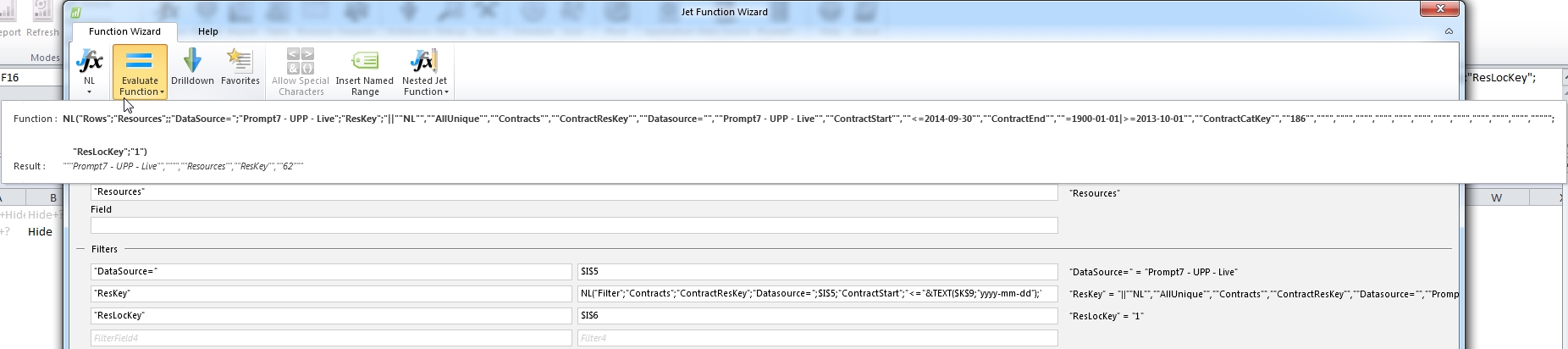
To be honest, I don't know how to solve this.
Any help is greatly appreciated.
Best regards,
Gerard
Date
Votes
1 comment
-

Jet Reports Historic Posts Official comment Sorry, please forget this post. Changing the 'yyyy' to 'jjjj' (Dutch syntax) in the text() formula solved the issue.
Please sign in to leave a comment.