Vasu -
By far, the easiest way would be to create a "grouping report" where you first use an NL("Rows=2") function to list the customers sorted by name and then (on the next line) use another NL(Rows) function to list the records you want for each customer.
Jet Reports has a series of videos on creating Grouping Reports –> http://kb.jetreports.com/article/AA-00731#reports
I have attached a very simple example that you could modify to fit your needs.
-HP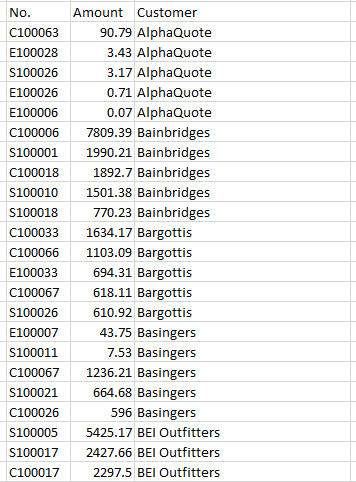
Date
Votes
2 comments
-

Jet Reports Historic Posts Good Morning
I need some guidance with Sorting a report I have created in Jet Essentials.
The report that pulls in fields from the Sales Line table and then links to the Sales header table to pull in the Customer Name and a few other header fields. I am trying to make the report sort by the Customer Name field but no matter how I enter the formula or arrange the fields on the report, I am not able to get the report to sort by Customer Name.
I have tried the following:
1. Entering “+Sell-To Customer Name” on the NL formula for the Sales Header table. So I have 2 NL formulas on the report - the first one pulls from Sales Line table, the second one from Sales Header table filtered by No. = Cell reference to the cell that holds the Document No. from the Sales Line table.
2. Entering “+Sell-To Customer Name” on the NL formula for the Sales Line after linking to the Sales Header table (“LINK=”)- I thought that perhaps the way I am filtering the Sales Header by cell reference to document no. is preventing it form sorting by Customer Name. So I added a link on the NL formula for the Sales Line.
3. Specifying Sorting in the Design mode and then running the report – this gets completely ignored.
I notice that when I create a report using the Table builder, it automatically creates the report with sorting option on each column. Is there a way to do this for an existing report?
Much Thanks
Kind Regards,
-Vasu -
Jet Reports Historic Posts What about using a nested NL statement like below. That should return Sales Lines sorted alphabetically by the Sell-to Customer Name on the Header.
=NL("Rows","Sales Line",,"+=NL(,""Sales Header"",""Sell-to Customer Name"",""Sell-to Customer No."",""@@""&NF(,""Sell-to Customer No.""))","*")
Thanks,
Please sign in to leave a comment.