I have a series of reports in which I need to disable the Drilldown function of the reports (little grey arrows that drill down to detail). I can find settings to adjust how to drilldown. Either Dynamics NAV or Jet data grid. Not finding a way to turn it off.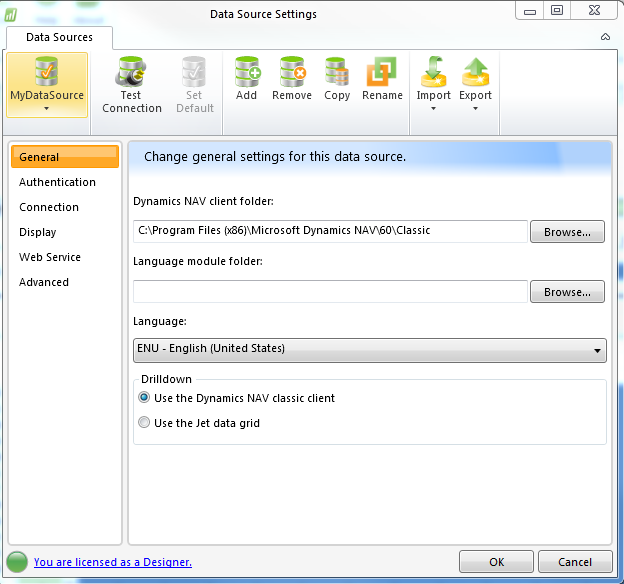
Much appreciated!
Date
Votes
5 comments
-

Jet Reports Historic Posts I don't believe this is something you can turn off.
Do you want to turn it off for security reasons or just aesthetics? -
Jet Reports Historic Posts Hello mcauthron,
Thank you for your post.
Unfortunately, there isn't any current option available to turn off (disable) this functionality.
If you feel that such a feature would be beneficial to the Jet Reports community, I would encourage you to post this to the 'Suggestions and Feature Requests' forum on our Community Site (http://community.jetreports.com).
That forum is reviewed regularly by our Product and Development teams when considering features for future releases.
———————
How to Submit a Feature Request:
Description:
As a <type of user> I want <some goal> so that <some reason>
Best regards, -
Jet Reports Historic Posts That is interesting to hear. I was not convinced I could turn it off. I am creating budget templates that will be distributed to directors. The goal was mostly for security reasons. I may suggest it be an added feature! Thanks!
-
Jet Reports Historic Posts You could use the scheduler to run the reports and change the output to Values only workbook. That will remove the Jet functionality from the report, including the drilldown.
-
Jet Reports Historic Posts If security is the reason for this, I'd recommend to get security in NAV right. That's the source of your data and once setup there you will benefit from it anywhere - NAV and Jet.
If the directors need to be able to refresh the report themselves, then must have Read access to the data and no access to the Budget forms/pages. Not an easy task I know, but nevertheless I think it's the best place to do this.
But I like JET-btr's suggestion as a good alternative. No need to worry about security setup in NAV.
One final suggestion… you could add a multiplication with NL(;NP("Integers";1;1)) to your function that retrieves the budget. The outcome of your budget will be the same as it is multiplied by 1, but by adding this function clicking on the drilldown will give an error that using drilldown is not an option for that cell.
Does this help?
Please sign in to leave a comment.