Hi Team.
I have created a Production Report which is producing the correct output. The issue I have is that I want to reposition / sort the results in a particular order.
The current output is
Farm, Item, Description, Quantity, Customer, Order Date
AAA MBLA MEGABOXLARGE 240 HEALTHY 26/06/2016
AAA MBLP MEGABOXPREMIUM 120 GOODIES 26/06/2016
BBB MBLA MEGABOXLARGE 240 HEALTHY 26/06/2016
BBB MBLP MEGABOXPREMIUM 120 GOODIES 26/06/2016
CCC-AAA MBLP MEGABOXPREMIUM 120 GOODIES 26/06/2016
From this example I want the results to be like this, The CCC-AAA has a relationship to the AAA Farm. Is there a fuzzy match filter / sort / grouping that can find characters in a Farm name field and then sort the results.?
Farm, Item, Description, Quantity, Customer, Order Date
AAA MBLA MEGABOXLARGE 240 HEALTHY 26/06/2016
AAA MBLP MEGABOXPREMIUM 120 GOODIES 26/06/2016
CCC-AAA MBLP MEGABOXPREMIUM 120 GOODIES 26/06/2016
BBB MBLA MEGABOXLARGE 240 HEALTHY 26/06/2016
BBB MBLP MEGABOXPREMIUM 120 GOODIES 26/06/2016=NL("Rows","Purchase Line",,"Order Date",E3,"Quantity",">0")=NF($B6,"Buy-from Vendor No.")
The NF simply picks the data from the NL result.
Date
Votes
2 comments
-

Jet Reports Historic Posts Official comment One way to accomplish this would be through the use of the NL(Table) function and Excel's Pivot functionality.
You could also do this using an NL(Rows) and the NF() function, but NL(Table) makes it easier.
Start by defining the fields you want in your table and then add some formula that will consistently return the "relationship farm":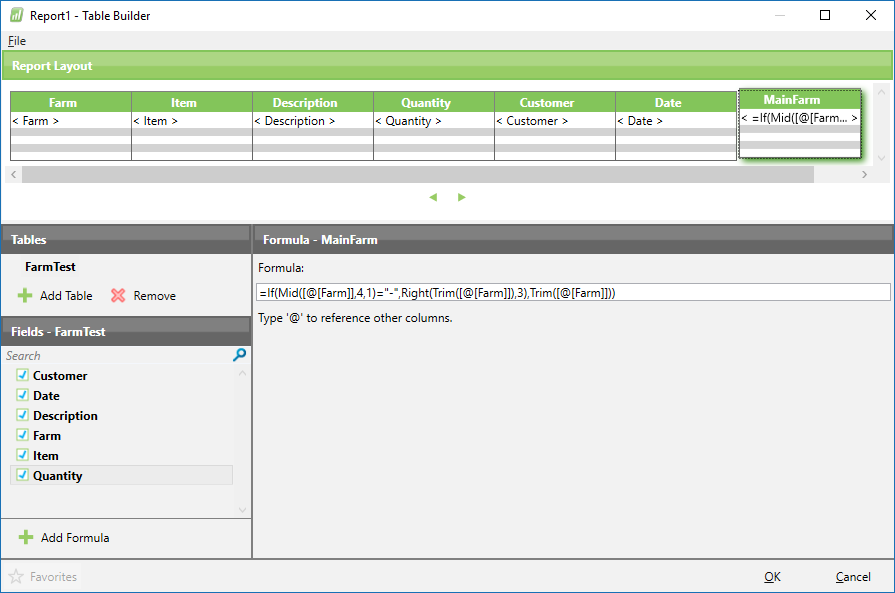
Once you run the report, select any cell within the resulting table and then click the "Pivot Table" button on Excel's Insert ribbon: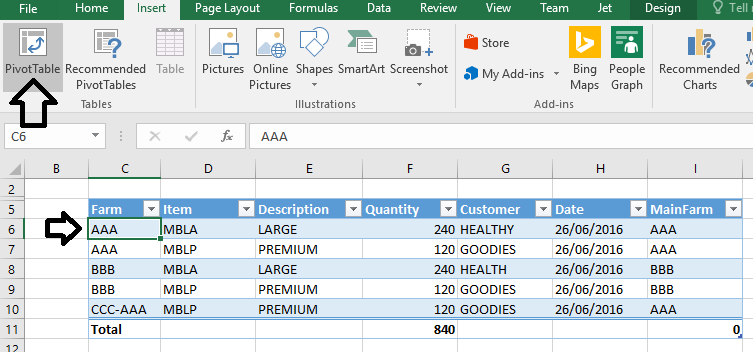
You can then use the column with the formula you defined to group your results: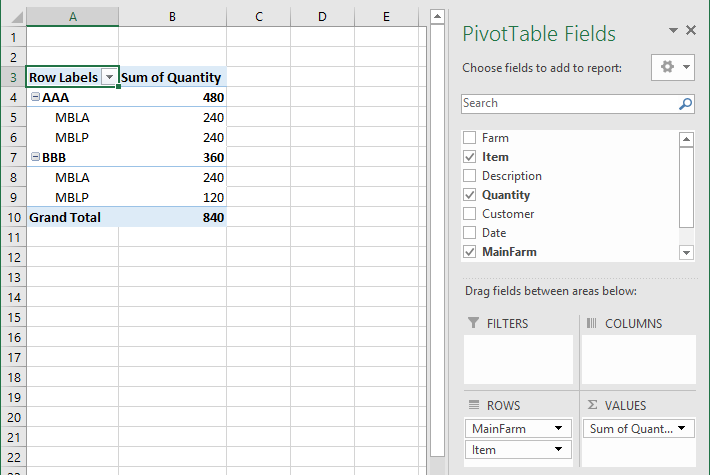
Alternately, if you didn't want to use the Pivot, you could simply sort the NL(Table) result by that same formula: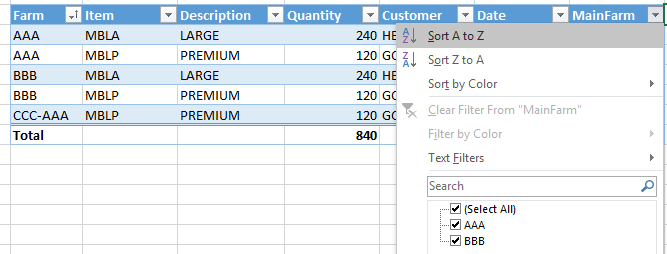
to give you your sorted info: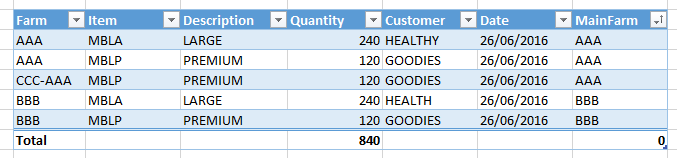
-
Jet Reports Historic Posts Thankyou very much for the info given… Spot on… thankyou
Please sign in to leave a comment.