Hi Everyone,
so I am trying to generate a report , and I really need to use Pivot table to help me organize the pulled data.
My main problem is , that in the Value section, I need to pull out the Item Quanitity in the Sales Delivery Note line, now in Excel it comes up as regular numbers, even the cell format is as numbers.
However when I use in the Pivot table in the Value section, it shows as "1" , never shows the actual number. I thought maybe it's because of the formula, so I created another field to read from that original fied, doesnt work as well.
To rule out Pivot table itself or how I am doing it, I created a custom field with manual input numbers, and it did read the manually input number in the Value section.
Any idea how to resolve this issue?
Thanks
Wassim
Date
Votes
4 comments
-

Jet Reports Historic Posts Hi,
Are u sure the problem is not that the Pivot table values are "Amount" and not "sum", its hard to explain, so ive attached two screenshots of the field list in the pivaot table.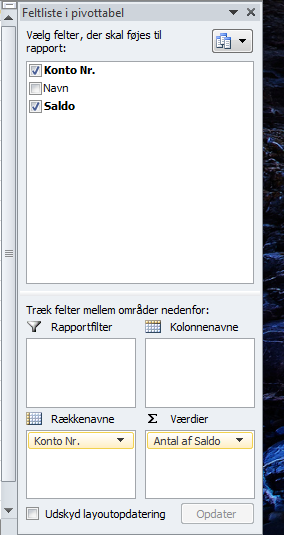
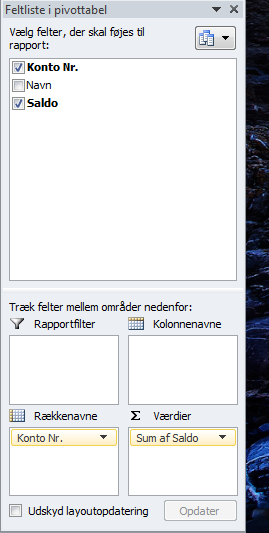
as u can see in the bottom right cornor you can change the values from amount to sum….
Does this solve ure problem ? :) -
Jet Reports Historic Posts Thanks for your reply, the weird part is that when I leave it as count of QTY , I get the 1 per entry, but when I change to sum , I get zeros.
Note that the QTY field has a lot of numbers in it…
Attached are snapshots of what I mean:
Proving that QTY field does have data and numbers in it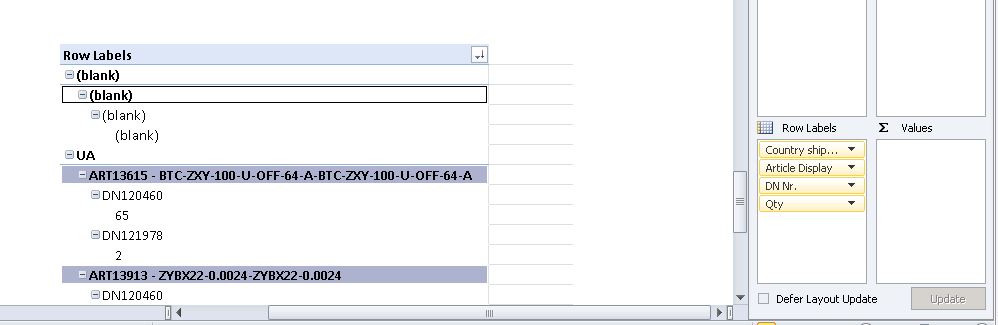
Qty as count of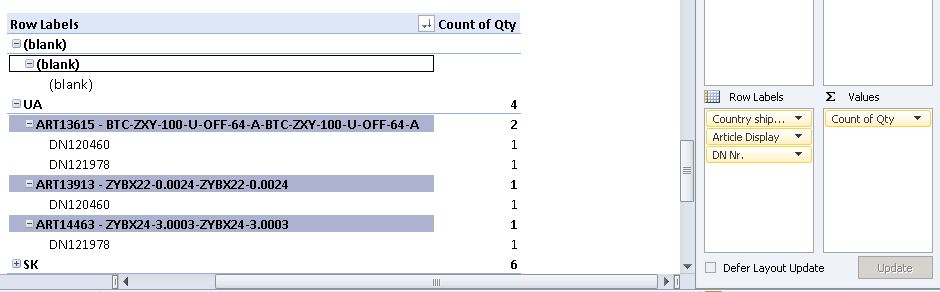
Qty as sum of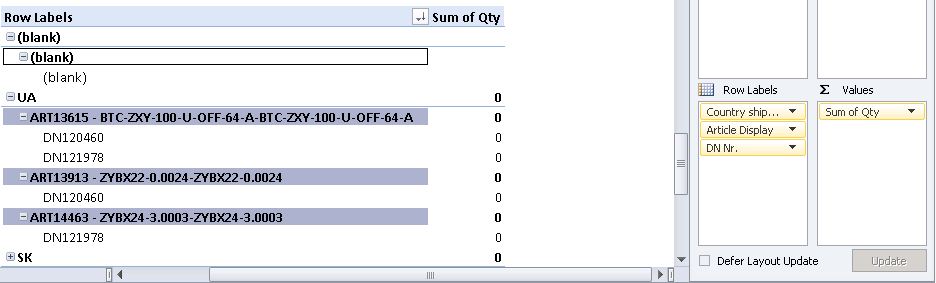
Very weird isn't it? -
Jet Reports Historic Posts In case it makes a difference, this is the formula in the QTY field:
=IF(E422="";"";UPPER(NL("summe";"Verkaufslieferzeile";"Menge";"Nr.";C422;"Belegnr.";E422))) -
Jet Reports Historic Posts Your formula is converting the value coming back from Jet into a string in Excel. By using "" and UPPER, you've converted the numbers to strings, which is why Excel won't sum those values in a pivot table.
You don't need to use the Excel IF function in this case anyway. In order to fix the blank filter, you can just prefix it with @@ in Jet like this:=NL("summe";"Verkaufslieferzeile";"Menge";"Nr.";C422;"Belegnr.";"@@"&E422)
This should give you a number and not give a #VALUE when E422 is blank. Then Excel should recognize this as a number in the pivot table. Does this help?
Regards,
Hughes
Please sign in to leave a comment.