Hello,
When I run a Jet Report 2009 (version: Jet Report Setup 9.2.10075.0) the system prompts prompts this message : "Due to Excel memory limitations, the formula could not be retrived from range $A$1:$A$J60369'.
In the report design, I used the excel's grouping features and I am using Excel 2010 (32-byte).
Basically this report is analyse 12 months sales quantity by Retailer, By Brand, By Branch, By Customer and By Item. For presentation, the report automatically shows the total for each grouping (using Excel's Grouping function) and the user can view the details by 'ungrouping' each group.
How to resolve this problem?
Thank you for your advice.
Have a nice day.
From : YK Cheong
Date
Votes
3 comments
-

Jet Reports Historic Posts Hello YK Cheong,
Basically Excel is running out of memory while running the report. 32-bit versions of Excel have a theoretical process size limit of 2 GB, but in practice Excel usually runs out of memory when the process size gets somewhere between 1 GB and 1.5 GB (you can watch the process size in Windows Task Manager while the report is running).
You could try upgrading to Excel 2010 64-bit (and also installing a newer, 64-bit version of Jet Reports). If you are using Jet with Microsoft Dynamics NAV, the 64-bit version of Excel could cause your reports to run slower, so we don't normally recommend it unless you really need large amounts of data in your report.
Jet is not really a great tool for data dumping. It's a very good tool for data analysis, so I would generally recommend that you try and figure out what data you actually need to view and analyze and only retrieve that data rather than retrieving the entire contents of some large tables. There is no way that a normal person can actually view 36 columns * 60000 rows = 2.1 million cells worth of information, so maybe you can narrow down what you are retrieving?
Regards,
Hughes -

Chandrakant Hi Sir,
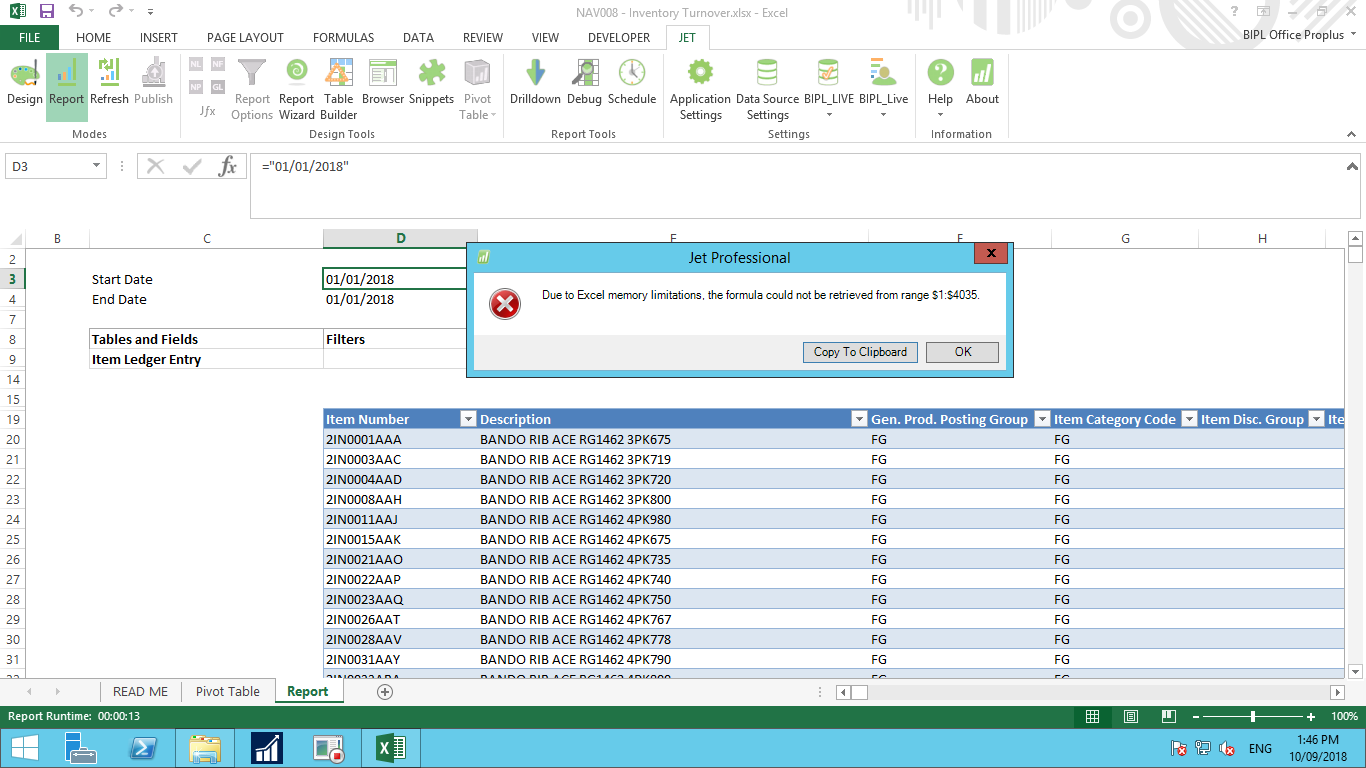
I am also facing issue as per attach, kindly suggest pls.
Regards
Chandrakant
-

Harry Lewis Hello Chandrakant -
As mentioned in the earlier posts, Excel is running out of memory when it attempts to return the report to Design mode (and place all the Jet and Excel functions back in their correct cells.
Having 4035 rows of functions seems a bit large. I'm guessing that Excel is tracking some extra rows in your Report worksheet.
While it's possible to walk you through the process of resetting that, I would suggest that you submit a request to Jet Technical Support so that you can supply them with a copy of the report and they can work with you in getting it set how you need it.
Please sign in to leave a comment.