Receiving error when attempting to run a jet report:
An unexpected error has occurred: Exception of type 'System.OutOfMemoryException' was thrown.
System.OutOfMemoryException
at System.Text.StringBuilder.ToString()
at a8.a(IntPtr A_0)
at a8.b(IntPtr A_0,IntPtr A_1)
at fl.EnumWindows(b A_0, IntPtr A_1)
at a8.b(IntPtr A_0)
at Jet.JetDispatcher.Dispatch(Object[]&args)
I have tried multiple different ways to troubleshoot this, but could not come up with a solution.
Date
Votes
2 comments
-

Jet Reports Historic Posts Hi HelpDeskTeam,
You may want to submit a ticket through the Jet Support site: support.jetreports.com.
Typically an error like this suggests the report is too large (pulling too much data or performing too many calculations and running out of memory) or there is a design flaw in the report.
Support may be able to help you figure out if there is a flaw in the report, unless you want to post it here for review. -

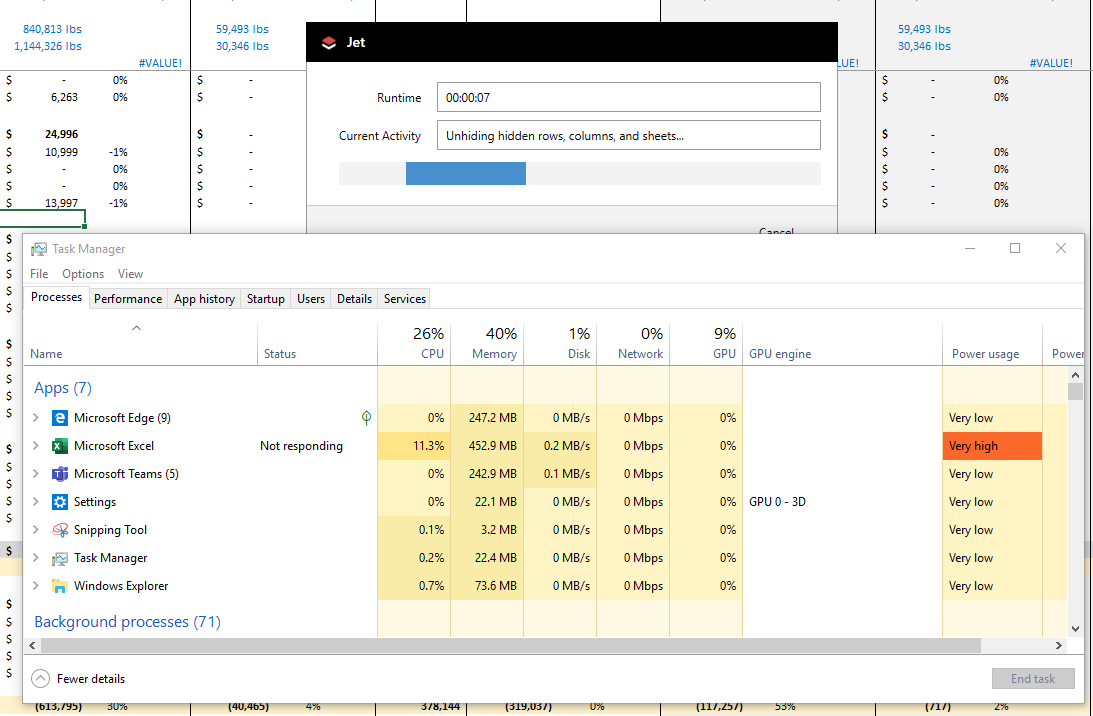
P Reginato Hello. I have been using Jet reports since July 2018 to create custom monthly manufacturing financials (P&L's, BS & Cashflows) that simultaneously creates current year forecasts and future business plans. I use the GL function extensively and the file size is only 1,524kb in size which is not large. Using the RUN button to update latest balance, as of late, I am unable to get the latest balances (using GL function i.e GL("Balance",$B142,BJ$2,BJ$3,"Op_Expense",,$C138)) without getting "An unexpected error..." (see below). I am using a Surface Pro with plenty of resources of which JET uses 40% of memory and 26% CPU (see below).
Because of the planning aspect of the spreadsheet this inability to pull data is debilitating. As mentioned this error is new.
I did report this to JET and they said the spreadsheet is too large (really?? this day in age....).
Can anyone help?

Please sign in to leave a comment.