My solution has been to use the ROWS command to my benefit.
So I set up the ROWS command as normal - we'll pretend that it's in cell C14, with Cell E14 being the cell that needs to have the number 1 showing
So in Cell D14 (yes, another hidden column), I have the formula =D13+1, and I make sure that I don't put ANY value in D13
another option would be to use the =ROW() command, which basically gives the number of the row the formula is on - and subtract however many rows are at the top of the report
When the Rows command carries down, it will keep updating the formula to add 1 to the row above. So far this is similar to what you said you have done in the past.
the difference comes into column E, in this area, I put the command =NP("EVAL","="""&D14&"""")
NOTE: The extra quotes and ampersand will allow this formula to change as the rows command progresses down the page. There are three quotes and a single ampersand in each set - so be sure you include all of that (the ampersand moves from the end to the front of the expression when closing around the cell reference).
When your report runs and deletes the hidden files - you will still have the resulting value of your row calculation, because the EVAL formula has made it a Jet formula and so the value will remain.
let us know if this solution doesn't work out for you! :)
Date
Votes
3 comments
-

Jet Reports Historic Posts Hi,
I'm creating shipping manifests in JET, to a very strict set of rules.
I essence, the manifest needs to start in column A, and each column needs to have specified information in, plus we're not supposed to have ANY hidden columns/data in the manifest.
Running the report, with deleting all hidden columns works fine, I just have a problem with numbering the rows.
First line of the report, where we list shipped parcels needs to start with "1" and each consecutive line needs to be in "1+1"
I normally would create a hidden column, where the calculation would take place, and just copy the values to a different column, but in this case a requirement is no hidden data..
Is there a way to number the lines of the report in JET, without referring to any data hidden elsewhere on the spreadsheet?
This is one of those silly things which gives me a headache..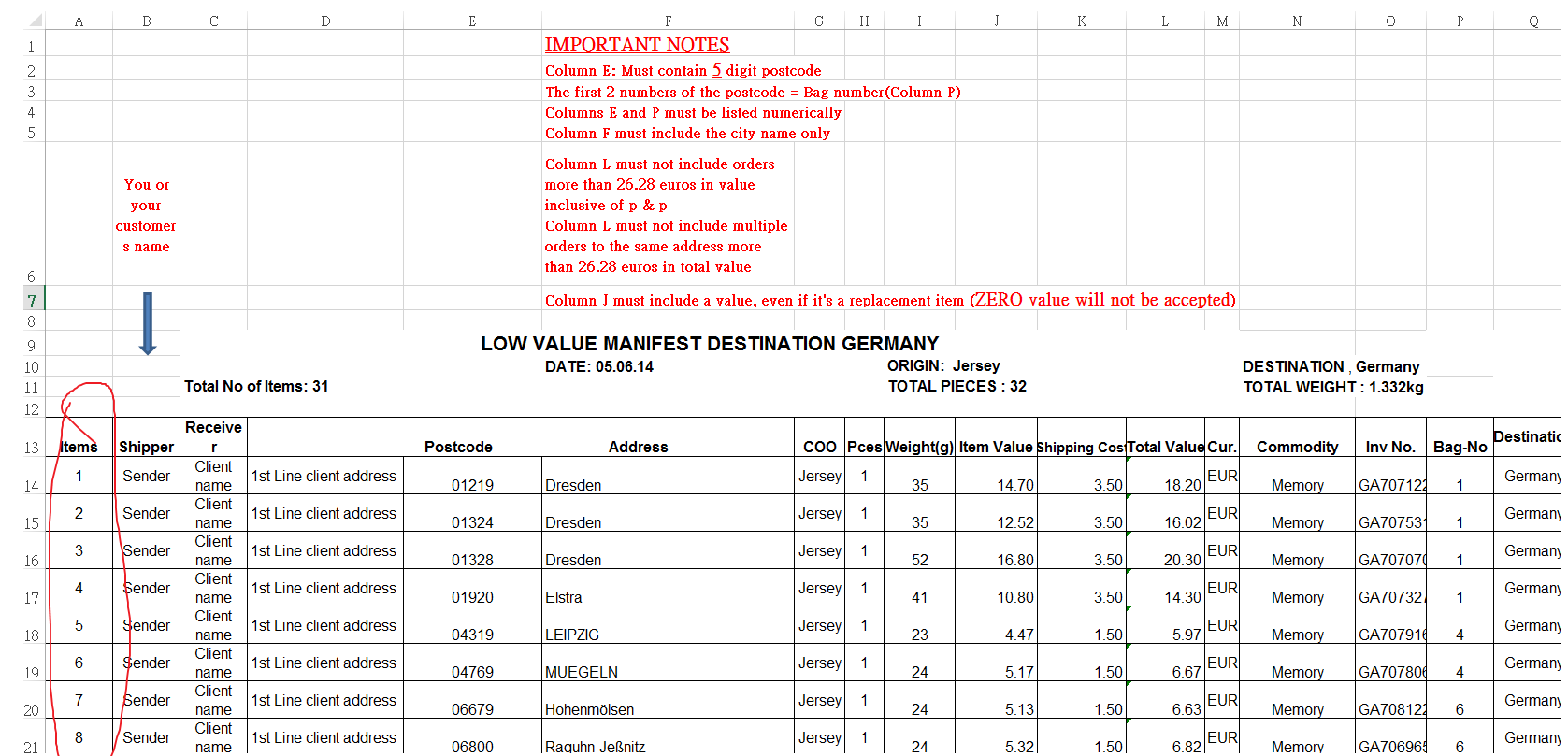
-
Jet Reports Historic Posts Hi,
maybe you can also use the table "integer" (in german "Ganzzahl").
There is only one field in the table, Name "number"..
regards
jetsetter -
Jet Reports Historic Posts =NP("Eval","=row()-14") In my case returns the value of the row where the data starts, -14 changes it to 1.
Wrapped in "Eval" it's nicely cleared from the report :)
This is perfect, thank you!
Please sign in to leave a comment.