installed previous version of these and so far there was no problem with it. Only just recently and error appeared, unfortunately I wasn't able to get a screenshot of it, then I do what I usually do.
1.) Run as administrator for "Disable Jet-AddIn"
2.) Uninstalled the Jet Essential
3.) Download the Latest Jet Client
4.) Run as Administrator the installation of Jet Client
5.) Run as Administrator Enable Jet-AddIn
then an error appeared:
The Jet add-in could not be automatically enabled for the following reason:
Unable to set the Installed property of the AddIn class
The add-in must be manually enabled
6.) Manually enabled through Excel options, search the file in the jetreport install directory and overwrite existing Jet AddIn
Another Error Appeared:
An unexpected error has occured:
External component has thrown an exception.
System.Runtime.InteropServices.SEHException
at cv..ctor(Int32 officeMajorVersion)
at Jet.JetDispatcher.a(Boolean ShowError)
at Jet.JetDispatcher.a(Object[] A_0)
at Jet.JetDispatcher.Dispatch(Object[] args)
Date
Votes
1 comment
-

Jet Reports Historic Posts Hello -
Since this posting appears to be about the Jet Essentials add-in for Microsoft Excel, it has been moved from it's original location (the discussion forum about the Windows 8 Report Player) and placed under the Jet Essentials forum.
Please try these steps:
- Close Excel
- Using Windows Explorer, navigate to your system's %APPDATA% folder: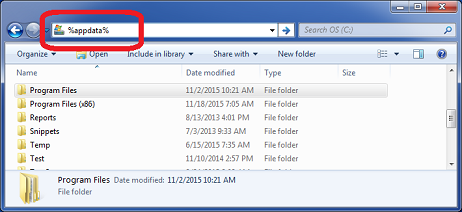
- Rename the "Jet Reports" folder…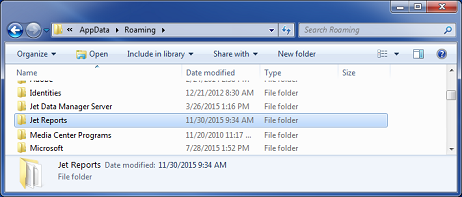
to "Jet Reports OLD"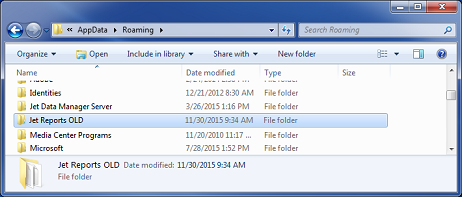
- Restart Excel
Does that resolve the issue?
Please sign in to leave a comment.