On a binary text field we are pulling through into a report, all £ symbols are being viewed and printed as the œ symbol instead
Is there a fix for this?
Date
Votes
5 comments
-

Jet Reports Historic Posts Hello -
When returning data from a binary text field, the conversion of that text from binary to character is based on the current Windows Code Page
(see the "binarytext" information in the NL Function Reference –> http://kb.jetreports.com/article/AA-00491).
The current Windows Code Page is determined by the machine's "locale" setting. It may be that your machine's locale setting is configured such that the pound symbol is translated to the oethel character.
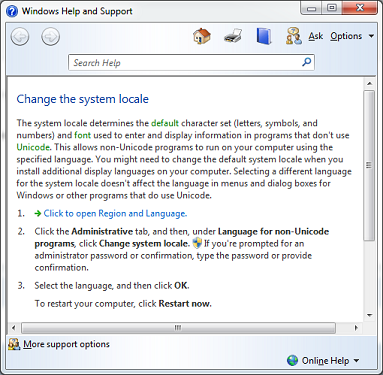
You may want to check with your system administrator to see if changing the system locale setting would be appropriate for your situation.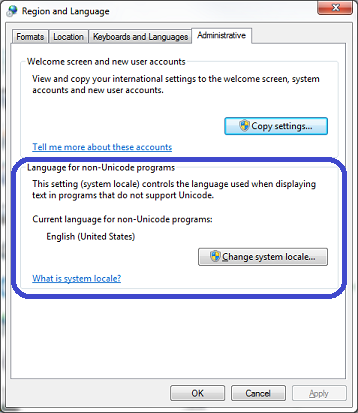
-
Jet Reports Historic Posts I suspected that, but all my settings are United Kingdom with correct currency and other settings
-
Jet Reports Historic Posts Could it be the language setting in Excel? Maybe you already looked there, but the Options do include Language.
-
Jet Reports Historic Posts The Excel language is set correctly to English (UK) unfortunately
I can only see references about saving as xlsx and then csv producing the same problem, only happens on binary fields
I can pull through a £ symbol if I put one in the county field for example. -
Jet Reports Historic Posts 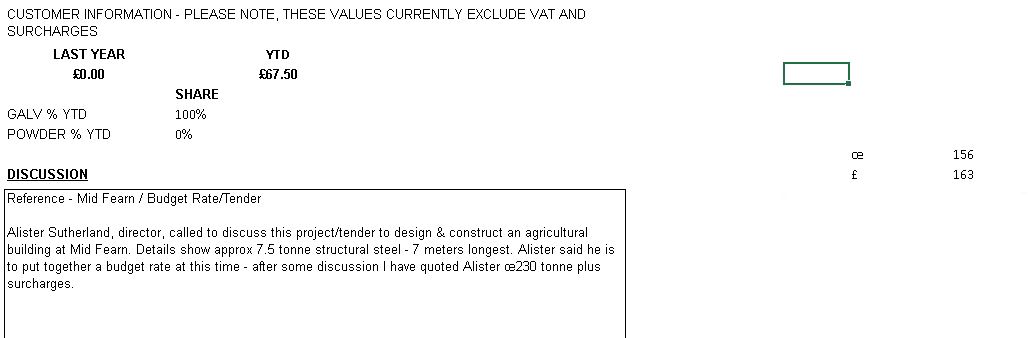
Exactly the same as your screenshot
Code 156 for œ and 163 for £
Please sign in to leave a comment.