got it,
what about if I have 2 column, where column1 is current period, and column2 is previous period,
and I allow user to specify year/period for column1, and column2 is calculated based on column1.
then when column1 is Jan/2017, how to set column2 to be Dec/2017?
Date
Votes
3 comments
-

Jet Reports Historic Posts I am using Dynamics GP
how do I filter by financial Year and Period instead of Date?
also, how to allow user to specify Year / Period when refreshing the report?
many thanks. -
Jet Reports Historic Posts Hello -
You can use the format of "year/period". e.g., 2017/1
Here's a rudimentary example: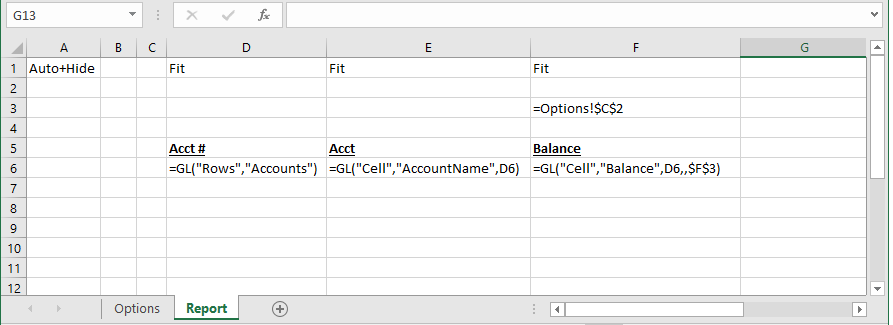
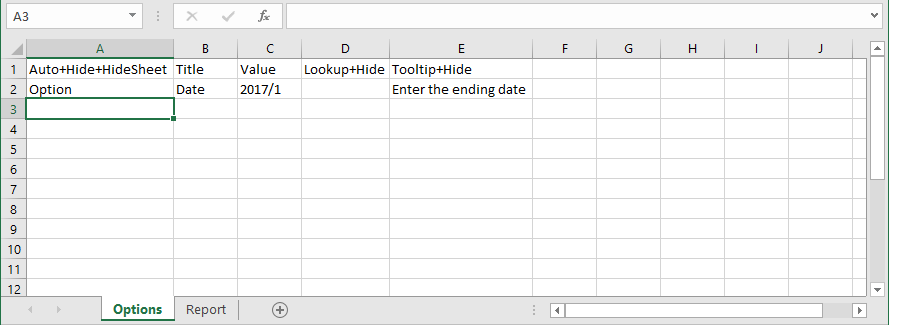
When the report is run, the user is prompted for the date: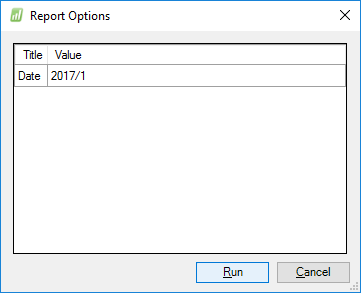
And here is the resulting report: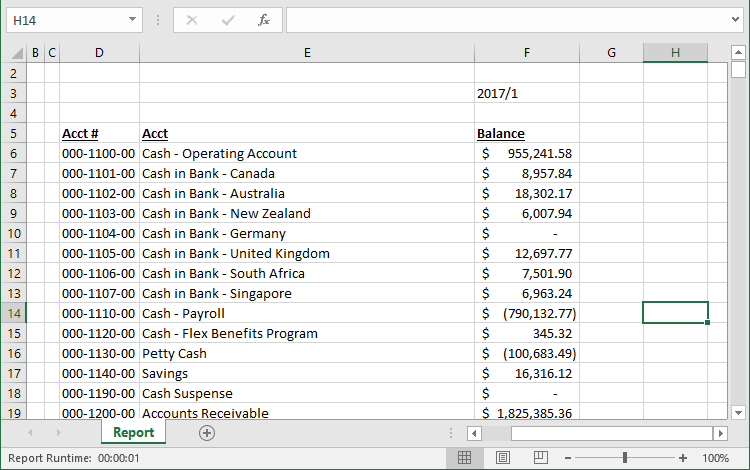
-
Jet Reports Historic Posts If you are using the GL() function, it includes parameters for both a start period and an end period.
Which of those two dates are or are not provided is dependent upon what information you want. You'll want to reference this "Start Period" and "End Period" sections of this article: https://jetsupport.jetreports.com/hc/en-us/articles/115001584427
If you are using a different function, you can build a range from your two cells =F1&".."&G1 and use that.
Please sign in to leave a comment.