I'm getting the error message: Please specify a drilldown server in the data source settings.
In the data source settings, I'm not sure which drilldown option I should be using. I don't know what Role Tailored Client means.
I'm getting the error message: Please specify a drilldown server in the data source settings.
In the data source settings, I'm not sure which drilldown option I should be using. I don't know what Role Tailored Client means.

Hello Yvonne -
The NAV "Classic" Client was used up through NAV 2009 R2 and looks something like this:
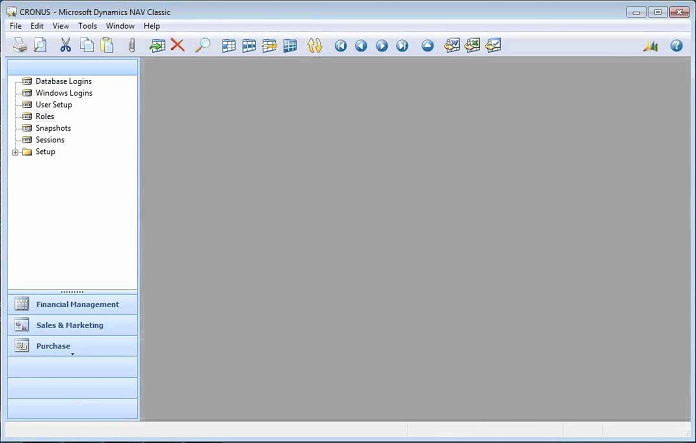
The "Role Tailored Client" (RTC) was introduced with NAV 2009 and it's look is based around what role is assigned to the individual user:

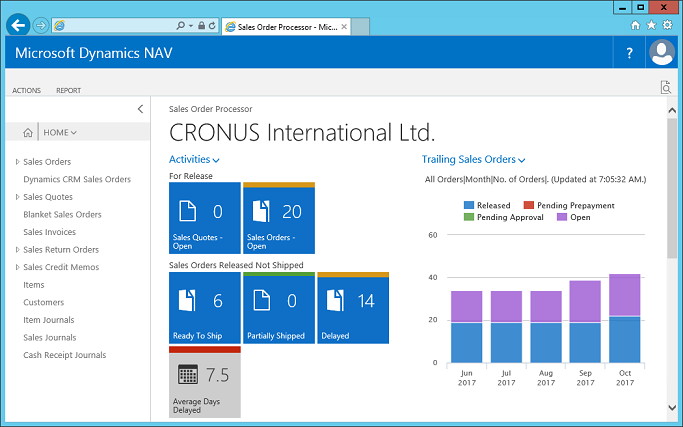
Newer versions of NAV (2013 and newer) have both the RTC (which is installed on a local computer) and a similar-looking Web Client (accessed through a web browser such as Internet Explorer, etc.):
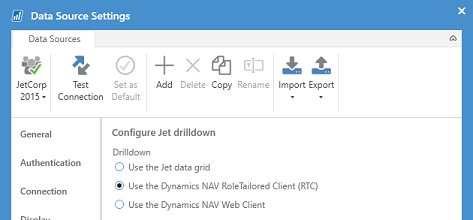
In order to be able to drill down from a report, you must specify (in your Data Source Settings) whether you want the results displayed by the Jet Excel add-in (in the Jet Data Grid), in NAV's RTC, or in NAV's Web Client:
If you use the RTC, you must specify where that RTC is installed:
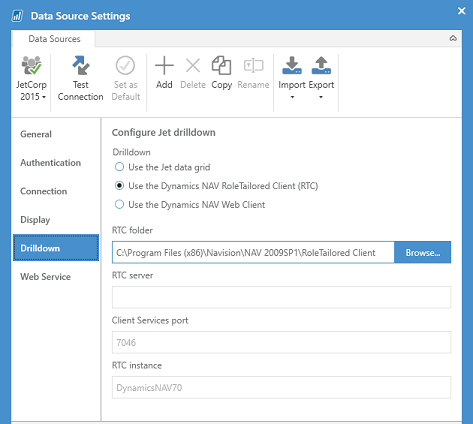
If you need to find out this information, you may want to ask your system administrator.
More information can also be found in the online help article on the message you are seeing.

Oh I get it now. I can just stick to the Jet data grid and I'm good. Thanks.