I have a report with User Data columns. I need to insert a new User Data column, but when I do the User Data stays in the original column. Is there a way to get the User Data to shift with the insertion of a new column?
Date
Votes
2 comments
-

Harry Lewis Hello Dan -
Here I’ve defined a simple report listing some G/L accounts:
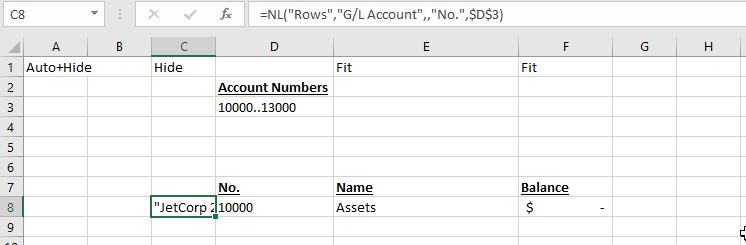
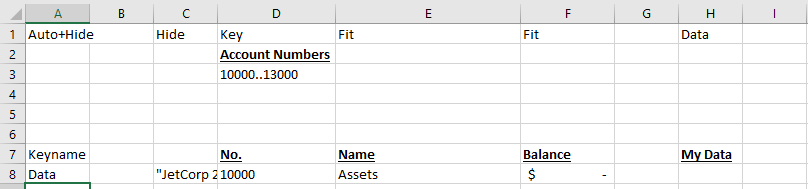
Since I have a non-changing unique value in each row (the G/L account number), it is a fairly easy step to add the ability for the user to record a single value for each account (in this case, in column H):
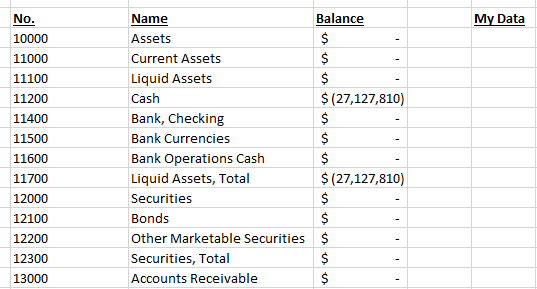
When I run the report…
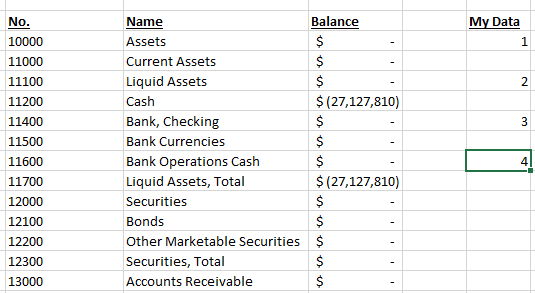
I can enter a single value that I want retained each time I re-run the report:
If I want to edit my report to include a new column (let’s say I want something in column G but still want a blank column H between it and my saved data), I simply place the report in Design mode and make the change – ensuring the all the Jet keywords are in the correct positions in column A and row 1:
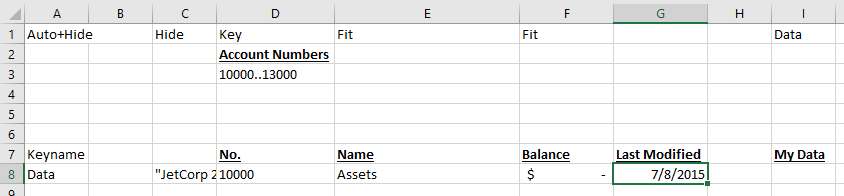
Now, when I run the report, my saved data has moved to column I:
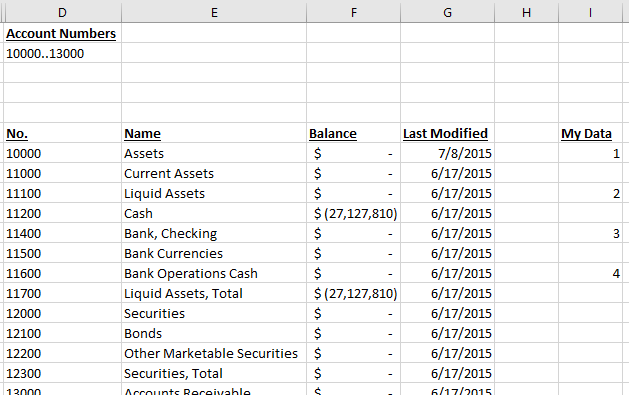
If I wanted to have additional saved data… that gets more complex. The reason for that is that I still need a unique KEY value to correspond to EACH piece of saved data. Since my report only has one such unique value (the account number), I would have to come up with something else to serve as the key for the second piece of saved data. More details about doing that advanced topic are contained in the Advanced Stored User Data article.
I hope that helps get you pointed in the right direction. This is a topic that normally would require training.
-

Dan Clower Harry,
Thanks for the help. When we inserted the column we had to keep the Keyname consistent so that the data would be in the correct column.
Thanks,
Dan
Please sign in to leave a comment.