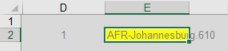
How do I write the formula shown below to automatically update based on a filter selection (selecting CCO, CDO, CFO, etc) on the Options tab? I can manually update the range on the report tab and the report runs fine, but would prefer not to go to design every time to update the range on the report tab.
NL("Sheets",IF($D$2=2,"G/L Entry",Options!$D$48:$D$51),IF($D$2=2,"Department Code",""),IF($D$2=2,"0",""),IF($D$2=2,$L$19,""),IF($D$2=2,"Department Code",""),IF($D$2=2,$L$9,""))
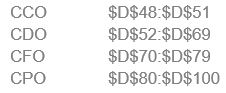
FYI, the report runs on a department range on a single company or selected departments across multiple companies.

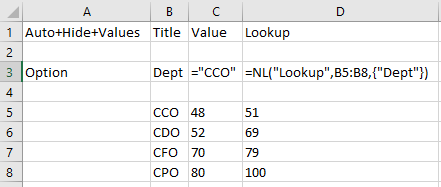
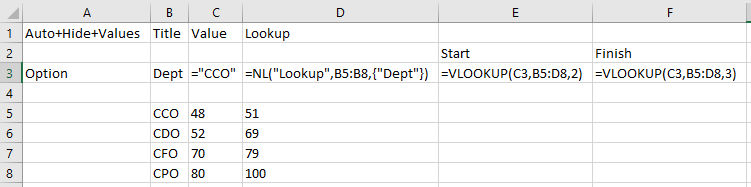

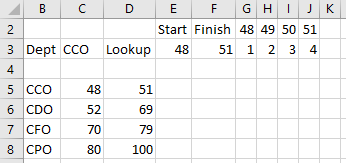
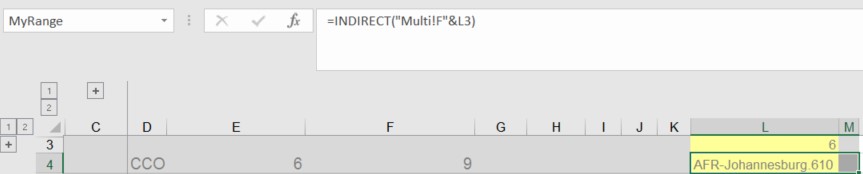
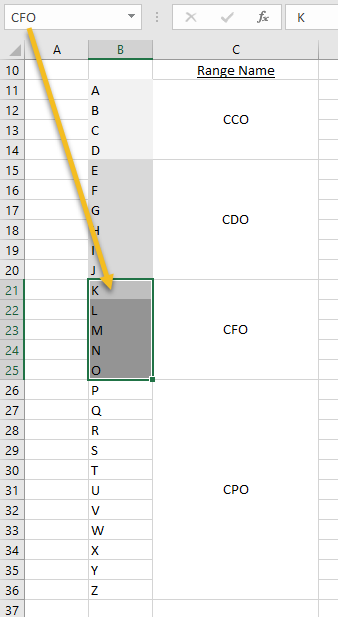
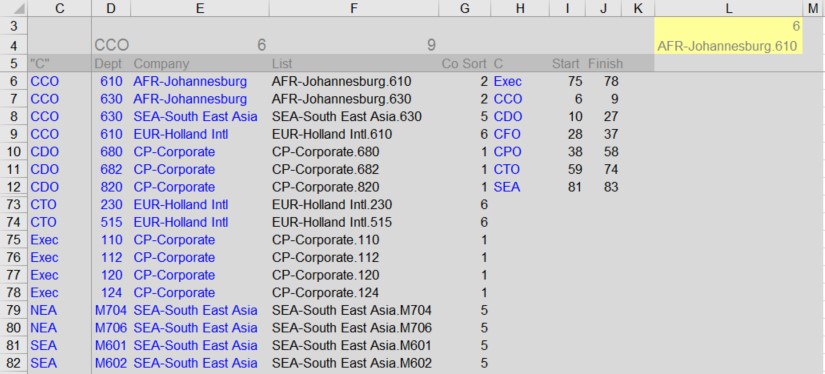 Because my list of companies and departments is long, I set it up on a new tab called Multi and included the simple list of codes in alphabetical order with the start and finish rows (in red area) with the formulas in L3 and L4.